


SEO checklist: the points that count
An SEO checklist is a list of points you work through to see whether search engines can find, understand and show your website. This checklist has six steps, in the order in which they matter: first whether Google can read your pages, then what is on them, and only then speed, authority and AI answers. Each point tells you how to check it yourself.
By Dries Nijs, Organic Web Specialist
Last updated: 20 November 2026
At a glance
What is an SEO checklist? The short answer
Many SEO checklists are long lists in no particular order. That is the problem: start halfway down and you end up improving details on a page that Google may not even be able to read.
This SEO checklist follows the route a page itself takes: being found, being understood, being chosen. An error at the start makes everything that follows pointless, so that is where you begin. Most of the points can be checked with free tools from Google.
A checklist is no substitute for analysis. It tells you whether something is in order, not why it is going wrong. If you are looking for the SEO tips that pay off most, read the steps in order; further down, you will find what Google says you can safely skip.
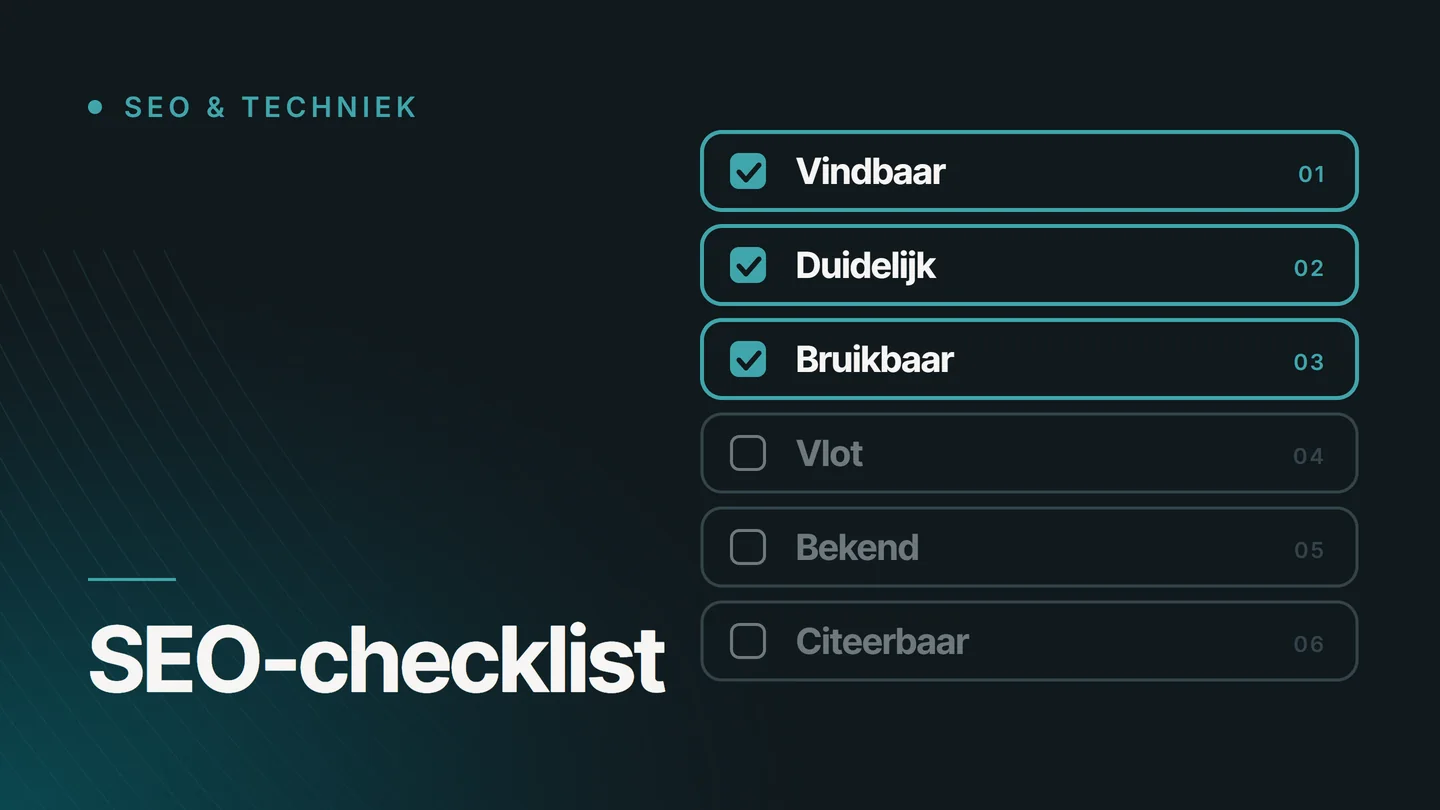
Order
In what order do you work through an SEO checklist?
From first to last. Each step only makes sense once the previous one is in order: nobody reads strong copy on a page that is not in the index.
01
Findable
Can Google fetch your pages and index them? Without this, none of the other points counts.
02
Clear
Does every page say what it is about in its title, its heading and its address?
03
Useful
Does the content give an answer that is of real use to the person searching?
04
Fast
Does the page load quickly, and does it work on a phone?
05
Known
Do other places on the web confirm who you are and what you do?
06
Citable
Can AI systems fetch your content and use it as a source?
Step 1
Step 1: can Google find and read your pages?
According to Google’s technical requirements, a page needs three things to qualify: Googlebot is not blocked, the page works, and it has content that can be indexed. Check this, because a single wrong setting can make an entire website invisible.
- Are you in the index? Search Google for site:yourdomain.be, using your own domain name. If you see your most important pages, this point is in order.
- Is anything being blocked? A rule in robots.txt or a noindex left behind after the build keeps pages out of Google. The Page indexing report in Search Console shows which pages are dropping out and why.
- Does every page work? Google only indexes pages that return status code 200. If an address has moved, forward it with a 301 redirect.
- Does Google see what the visitor sees? URL Inspection in Search Console lets you view a page the way Google fetches it. If text that you can see yourself is missing there, either files are being blocked or that text is only loaded later.
- Is there one address per page? The same content at several addresses is not a violation, but it wastes the crawler’s attention. A canonical tag or a redirect points to the version that counts.
- Do you have a sitemap? Google finds pages mainly through links and says an XML sitemap is not required. Submit one through Search Console all the same: that way, Google knows every address you consider important.
If things go wrong here, read why a page is not indexed. The work itself is called technical SEO.
Step 2
Step 2: is every page clear about its subject?
A search result consists of a title and a short piece of text below it. That is all anyone gets to see before choosing. Google’s SEO Starter Guide calls these the two most prominent elements that you can influence yourself.
- A title of its own for every page Unique to that page, short, and an accurate description of what is on it. Mention your business name or your location where that helps the person searching.
- A description that invites a click The meta description is a summary of one or two sentences. Google occasionally uses it as the text below the title. So write it for the reader.
- One main heading The heading at the top says in plain language what the page is about, using the words your customer would type.
- A readable address An address such as /services/roofing/ says more than /page?id=12. Parts of the address can also appear in the search result.
- Links with clear text Link related pages to one another and use what the visitor will find there as the link text, not ‘click here’. That way, reader and search engine know in advance what lies behind the link.
- Alt text for every image A short description of what the image shows and how it relates to the page. More under alt text in the glossary.
If you also want Google to understand what a page describes, whether a service, a product or an article, add structured data. If your website has several languages, check hreflang as well.
Step 3
Step 3: does the content answer the search query?
This is the step that carries the most weight. Google writes in its starter guide that content people find compelling and useful is likely to influence your visibility more than any other suggestion in that guide.
- One search query per page Write down which question this page answers. If you cannot do that in one sentence, it is two pages, or none.
- Your customer’s words Someone who knows the trade searches differently from someone who is new to it. Use the words your customers use on the phone, not just your trade jargon.
- The answer first Say in the first paragraph what the reader wants to know. Explanation, nuance and examples come after that.
- Content of your own Write from what you know and do yourself, and do not copy other people’s text. Google explains what it looks for in its list of questions about helpful content.
- Up to date Go through your older pages: is the information still correct? Update what is out of date and remove what no longer helps anyone.
- A named author Show who wrote the text and why that person is in a position to know. A byline that links to a page about the author is enough.
Two pages on the same search query get in each other’s way: choose the stronger one and redirect the other to it. If you would first like to know exactly what SEO involves, start with What is SEO?
Step 4
Step 4: does the page load quickly, on a phone too?
For indexing and ranking, Google uses the mobile version of your website. So anything that is missing or slow to load on a phone is counted as such.
- Test on your own phone Open your most important pages on mobile data, not on Wi-Fi. Can you read and tap everything without zooming in?
- Measure with real visitors At the top, PageSpeed Insights shows how real visitors experience your page. The three metrics are called Core Web Vitals.
- The same content on mobile Google recommends that the mobile version should contain the same content as the version for a large screen. So if you leave text and links out on mobile, you lose them in the search results too.
- Lightweight images The image at the top is often the heaviest part of a page. The right dimensions and a modern file format make the biggest difference.
A score of 100 is not a goal. What matters is whether visitors can read and click without delay. For WordPress, the causes are set out in Slow WordPress website? Causes and solutions.
Step 5
Step 5: does the outside world know you exist?
Google finds pages mainly through links on other pages. What can be found about you outside your own website also helps search engines understand who you are.
- Google Business Profile For anyone serving customers nearby: a complete, up-to-date profile, with the same name and the same address as on your website. See Optimising your Google Business Profile.
- The same details everywhere Your name, address and description should be identical wherever they appear, so that nobody confuses you with someone of the same name. More in Entity SEO: how Google and AI recognise your brand.
- Mentions you are entitled to Suppliers, partners, your trade association: ask for a mention with a link in places where your customer would actually look for you.
- Spread the word Google recommends making your website known to people who are interested in the same subject, online and offline, and calls word of mouth one of the most lasting ways of doing so.
Deliberately building links from other websites is called link building. It only makes sense once steps 1 to 4 are in order. What makes a link valuable is explained in What are backlinks and when do they help? For a local business, it starts with local SEO.
Step 6
Step 6: can AI systems use your content?
For Google’s AI Overviews and AI Mode, there are no additional technical requirements: a page has to be in the index and be eligible to be shown with a snippet. So if you have the previous five steps in order, you are already well on your way.
- Access for crawlers Check that your robots.txt and your hosting are not blocking the crawlers of search engines and AI systems. You can read which ones exist in robots.txt and AI crawlers: GPTBot, OAI-SearchBot and more.
- Text as text Whatever is important is on the page as readable text, not only in an image or a video.
- A question as the heading, the answer below it A paragraph that can be understood on its own can be quoted word for word.
- Markup that matches Structured data describes only what is also visible on the page.
What comes on top of SEO, such as being recognisable as a brand and being confirmed by other sources, is covered on the GEO & AI SEO page.
Overview
The SEO checklist in a single table
The ten points that come first, with the free tool you can use to check each one yourself.
| Point | How to check it | Tool |
|---|---|---|
| Your pages are in the index | Search for site: followed by your domain name | |
| Nothing is being blocked | Open the Page indexing report | Search Console |
| Google sees the full page | Inspect one important page | Search Console, URL Inspection |
| Every page has a title of its own | Look at your own search results | |
| Every page has one search query | Write down the question for each page in one sentence | Pen and paper |
| Old addresses redirect | Type in an old address and see where you end up | Your browser |
| The page works on a phone | Open it on mobile data | Your own phone |
| The page loads quickly | Have the address tested | PageSpeed Insights |
| Your business details are correct | Compare name, address and opening hours with your website | Google Business Profile |
| You can see what it delivers | Track impressions and clicks per search query | Search Console |
If anything remains unclear after these ten, or you do not know why a point is going wrong, that is the moment for an SEO audit: it looks for the cause and puts the points in order of importance.
Scope
What is not on the checklist
- The keywords field. Google does not use the keywords meta tag.
- Repeating keywords. Repeating the same word over and over is tiring for the reader and goes against the spam policies.
- A minimum word count. The length of a text does not count in itself. There is no ideal number.
- Keywords in your domain name. They have hardly any effect. Choose the name that suits your business.
- The number and order of headings. To Google, it makes no difference. For readers and screen readers, a logical order is still helpful.
- A penalty for duplicate content. The same content at several of your own addresses is awkward, but not a violation. Copying other people’s text is a different matter.
These six come from the list that Google itself keeps of topics you do not need to focus on. You will find it at the bottom of the starter guide.
Measuring
How do you know whether it is working?
In Search Console, you can see for each page and each search query how often you were shown, how often someone clicked and what your average position was. Note those figures before you change anything; otherwise you will not know afterwards what made the difference.
Do not change everything at once, and give it time. Google writes that some changes take effect within a few hours and others only after months, and recommends waiting a few weeks before you judge the effect.
Work through the checklist again whenever you make a major change: a new design, new pages or a move to a different system. A move needs extra attention; there is a separate list for that in Website migration without losing rankings: checklist and recovery.
FAQ
Frequently asked questions about the SEO checklist
What are the most important SEO tips?
For most websites, five points deliver the most: make sure your pages are in the index, give every page one search query and a title of its own, put the answer at the start of the text, show who you are, and track what changes in Search Console. The rest of the checklist builds on that.
What is the 80/20 rule in SEO?
It is not a rule from Google but a rule of thumb: a small part of the work delivers most of the result. In practice, that means the first three steps of this checklist, applied to your most important pages. Details on rarely visited pages can wait.
Can I do SEO myself with a checklist?
To a large extent, yes. Checking whether your pages are in Google, improving titles and writing clear copy takes no code. A checklist only tells you whether something is in order, though. Why a page is not performing, or what is going wrong technically, takes analysis.
How often should you work through an SEO checklist?
After every major change to your website, and otherwise a few times a year. If your visitor numbers suddenly drop, start at step 1: first check whether your pages are still in the index.
What is the difference between an SEO checklist and an SEO audit?
A checklist is a list of points you tick off yourself. An SEO audit is an analysis of your website, your figures and your competitors that explains why something is not working and puts the solutions in order of importance. The checklist is a good start; the audit comes in when the checklist has no answer.
Can ChatGPT do my SEO?
Part of it. An AI assistant can suggest titles, rewrite a text or draw up a list of questions. It cannot see your figures in Search Console, and it only knows whether a page is technically in order if it can fetch that page itself. So check what it suggests, and keep the decisions about your business in your own hands.
Further reading
The related service
SEO audit as a service
Stuck on the checklist, or want to know what needs to happen first? In an SEO audit, I examine the technical side, indexing, content and competition, and you receive the points in order of importance.

About the author
Dries Nijs, Organic Web Specialist
I am Dries Nijs, an SEO consultant and web developer from Maasmechelen. I have been building websites since the 1990s, and being found in search has always been part of that. MadeByDries is the personal brand under which I work.
Having trouble with a point on the checklist?
Send me the address of your website and tell me which point you are stuck on. Then we will look at what is going on.