


SEO & Technology
Website migration without losing rankings: checklist and recovery
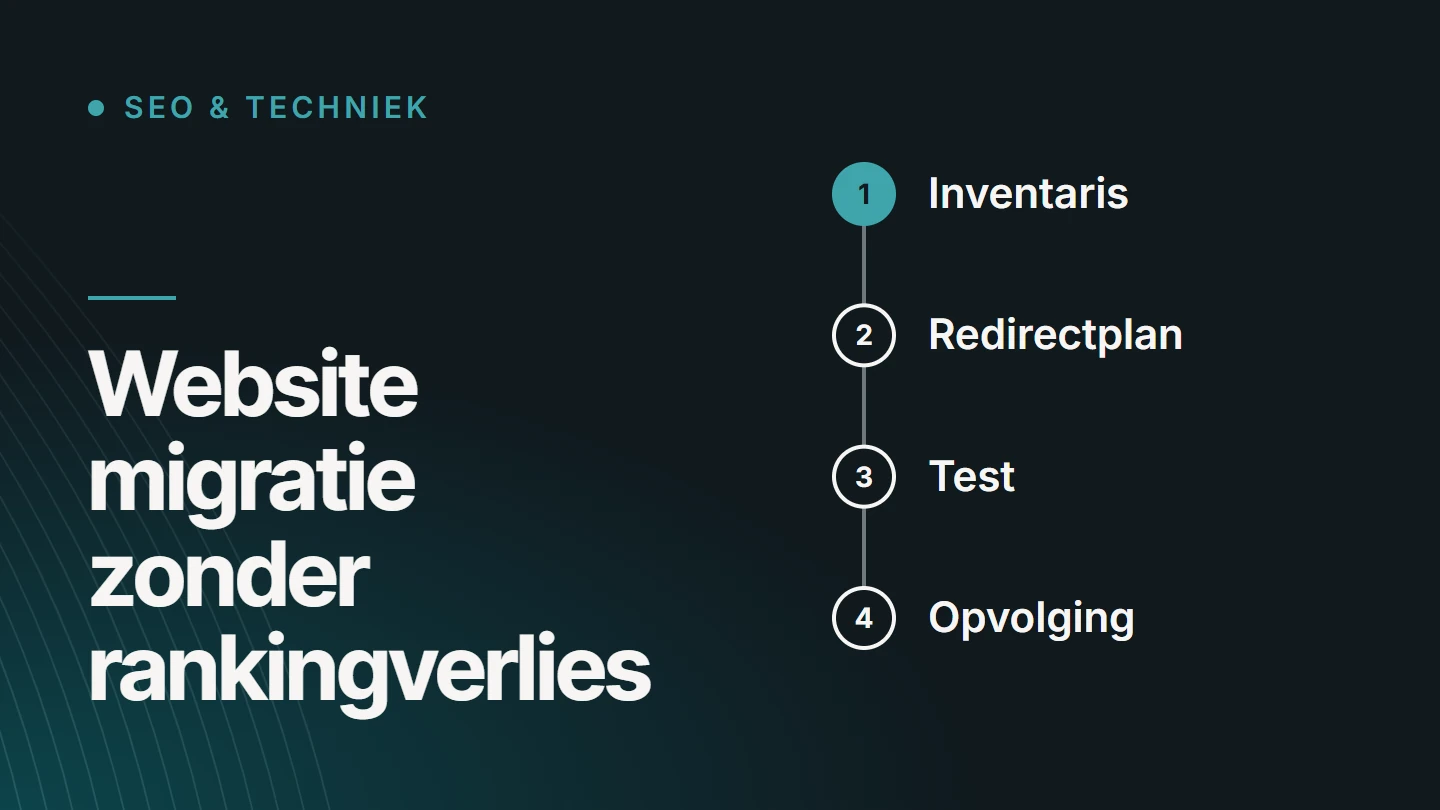
A website migration without any loss of rankings is something nobody can guarantee: Google has to reprocess every changed URL, and that almost always causes temporary fluctuations. What you can control is limiting the risk of permanent loss. You do that with a complete inventory, a redirect plan per URL, a test before going live and monitoring in the weeks that follow.
By Dries Nijs, Organic Web Specialist
Last updated: 19 November 2026
At a glance
Can you migrate without losing rankings? The short answer
Usually the damage is limited to a few weeks of fluctuating rankings, provided the old and the new website are carefully connected. Permanent loss is almost always caused by something that was forgotten: URLs without a redirect, content that was deleted, or a block that went live from the test environment.
So a migration is above all an exercise in completeness. Everything that brings in visitors today must have a place in the new website, and Google must be able to find its way there.
At the bottom, there is also a recovery plan for anyone who has already migrated and is seeing traffic drop.
Definition
What is a website migration?
A website migration is any change in which the addresses, structure, platform or content of a website change so much that search engines have to get to know it again. Not every migration carries the same risk.
- New domain The whole website moves to a different address. Every URL changes, so every URL needs a redirect.
- New URL structure The domain stays, the paths change: different folders, different slugs, an added language folder.
- New platform From one CMS to another, or from WordPress to a bespoke build. Templates, metadata and URL logic are rebuilt.
- Redesign with new content Pages are merged, rewritten or deleted. The addresses sometimes stay; the content does not.
- From HTTP to HTTPS Technically a move of every URL, although it usually goes smoothly.
- Merging websites Two domains become one. Overlapping pages need a shared successor.
The more of these changes happen at the same time, the harder it becomes to work out afterwards what caused a drop. If it is mainly the design and technology that are changing, it is more a case of a website redesign.
Risk
Why do you lose rankings in a migration?
For each URL, Google stores what it knows about a page: the content, the links pointing to it, its history. If the URL or the content changes, that knowledge has to be transferred. These are the places where that goes wrong.
01
Redirects are missing
Old URLs return a 404. The links and the value built up by those pages are lost, and visitors from the search results land on an error page.
02
Everything points to the homepage
Google often treats a redirect to a page whose content does not match as a page that has disappeared.
03
Content has been deleted or shortened
A page that ranked for a topic can no longer do so once the text about it has gone.
04
Titles and metadata have not been carried over
The new platform fills them in automatically, often less effectively than what was there before.
05
The test block has been left in place
A noindex or a robots.txt rule from the build phase shuts the new website off from search engines.
06
Internal links and canonicals point to old addresses
The website itself then sends Google to URLs that no longer exist or that redirect.
07
The new website is slower or harder to render
More JavaScript or heavier pages make crawling and processing harder.
Checklist
Checklist before the migration
Most of the work in a migration happens before anything goes live. Whatever you skip here, you can only reconstruct afterwards.
- Record a baseline: traffic, rankings and indexed pages from Search Console and your analytics.
- Crawl the current website and save the complete list of URLs, titles, descriptions and headings.
- Add URLs from Search Console, the sitemap and pages with external links to that list.
- Determine which pages have the most organic traffic and the most links: they get priority.
- Decide for each page: keep, merge or delete, and where it goes in the new structure.
- Create a redirect plan that maps every old URL to the most suitable new URL.
- Carry over titles, descriptions, headings and structured data deliberately, or rewrite them deliberately.
- Check on the test environment that internal links, canonicals and hreflang point to the new addresses.
- Test the redirects on the test environment with the complete list, not with a sample.
- Make a backup of the old website and keep it accessible for checks.
- Choose a quiet moment for going live, not just before your busiest period.
- Agree who will monitor after launch, and for how long.
Google itself describes the technical steps in its documentation on site moves with URL changes.
Redirect plan
What does a good redirect plan look like?
A redirect plan is a table with one row per old URL. Each row points to the page that answers the same question, with a permanent redirect (301) and no intermediate steps.
| Old URL | New URL | Why |
|---|---|---|
/diensten/webdesign.html | /webdesign/ | Same topic, new structure: one to one. |
/blog/tips-1 and /blog/tips-2 | /kennisbank/tips/ | Two thin articles merged into one complete article. |
/product/oud-model | /product/nieuw-model/ | The product has a direct successor. |
/actie-2019 | none (410 or 404) | No successor and no value: deliberately left to lapse. |
/over-ons?lang=fr | /fr/a-propos/ | Each language version gets its own destination. |
Three rules keep the plan clean. Never redirect everything to the homepage. Avoid chains: an old URL goes to the final address in one step. And use a 301 for what is permanent; a 302 is intended for a temporary situation.
Google recommends keeping redirects in place for as long as possible, generally at least a year. As long as other websites link to the old addresses, they remain useful.
Launch
What do you check on launch day?
The first hours after launch determine how quickly errors are found. Run through these checks immediately, in this order.
01
Blocks removed
No noindex on the live website, and a robots.txt that allows crawling.
02
Redirects work
Have the complete list of old URLs checked again: every row returns a 301 to a page with code 200.
03
Canonicals and hreflang are correct
They point to the new, final addresses, not to the test environment or the old domain.
04
New sitemap submitted
An XML sitemap with only the new, indexable URLs, submitted in Search Console.
05
Change of address reported
For a new domain: the ‘Change of Address’ tool in Search Console, verified for both domains.
06
Tracking continues
Analytics and conversion tracking record data on the new website, so you can compare before and after.
Ongoing support
What is normal in the weeks after a migration?
Fluctuations in the first weeks are normal. Google crawls the old addresses, follows the redirects and processes the new pages one by one. According to Google, for a medium-sized website it takes a few weeks for most pages to move over in the index, and longer for large websites.
During that period, follow the Page indexing report in Search Console: the number of indexed new URLs should rise while the old ones disappear. Also look at crawl errors and at the most important pages from your baseline. You can read what the statuses in that report mean in Website or page not indexed?.
There is reason to step in when traffic keeps falling after a few weeks, when specific pages disappear from the results or when Search Console shows a growing number of 404 errors.
Recovery plan
Traffic dropped after a migration? Here is how to recover
If the migration has already happened and organic traffic is falling, do not start by guessing. Work from the most serious cause to the least serious.
01
Establish exactly what has dropped
In Search Console, compare the period before and after launch, per page and per query. Has everything dropped, or only part of the website?
02
Check that the website is indexable
A forgotten noindex, a block in robots.txt or a canonical pointing to the old domain explains a drop across the board.
03
Find the old URLs again
From a backup, from Search Console or from a web archive. Test the best-performing old addresses: do they return a 301 to the right page?
04
Restore missing redirects
That still makes sense weeks later. The longer an old URL returns a 404, the more of its value is lost.
05
Compare the content
Put the old and the new version of the pages that dropped side by side. Are sections, headings or answers missing that used to be there?
06
Look at internal links and speed
Are important pages buried deeper in the menu, or does the new website load noticeably more slowly?
07
Monitor the recovery
Recovery is gradual, and not everything always comes back. Note what you changed and when, so you can see the effect.
FAQ
Frequently asked questions about a website migration
What is an SEO migration?
An SEO migration is the work of protecting visibility during a website migration: the inventory of existing URLs and content, the redirect plan, the checks on metadata, canonicals and hreflang, and the monitoring after launch.
Can you avoid ranking loss entirely?
No. Temporary fluctuations are part of every migration in which URLs or content change. Careful preparation can limit the risk of permanent loss, but nobody can promise that every ranking will be retained.
What are 301 redirects?
A 301 redirect is a permanent redirect from an old URL to a new one. Visitors automatically end up at the new address, and search engines understand that the page has moved permanently and pass on its signals.
What is the difference between a 301 and a 302 redirect?
A 301 says the move is permanent, a 302 that it is temporary. In a migration, you use a 301, so that search engines treat the new address as the lasting version.
How long should you keep redirects in place?
As long as possible. Google mentions at least a year as a guideline. As long as other websites link to the old addresses, the redirects keep passing on visitors and value.
Is a redesign also a migration?
Only when URLs, structure or content change as well. A new design on the same addresses and with the same content carries little risk. As soon as pages disappear or change address, the same rules apply as for a migration.
How do I move my website to a different domain?
Set up the website on the new domain, redirect every old URL with a 301 to its counterpart, update internal links, canonicals and the sitemap, and report the move in Search Console with the ‘Change of Address’ tool. Keep the old domain registered for as long as the redirects are needed.
Further reading
The related service
Website migration as a service
Is a migration planned, or has traffic dropped after a move? On the service page, you can read how I handle the inventory, the redirect plan and the monitoring.

About the author
Dries Nijs, Organic Web Specialist
I am Dries Nijs, a developer and SEO consultant from Maasmechelen. In a migration, I work on both sides: the redirect plan and the checks, and the code of the new website. MadeByDries is the personal brand under which I work.
Migration planned, or traffic already lost?
Tell me what is changing or has changed. Then we will look at what needs to be carried over and where the risks lie.