


SEO & Technology
Canonical tag: explanation, examples and common mistakes
A canonical tag is a line in a page’s HTML that indicates which URL is the preferred version when the same or nearly the same content is available at multiple addresses. Search engines use that hint to consolidate duplicate pages under one address. It is a strong signal, not a directive: Google may choose a different URL when the rest of the website contradicts the tag.
By Dries Nijs, Organic Web Specialist
Last updated: 19 November 2026
At a glance
What is a canonical tag? The short answer
Almost every website shows the same content at more than one address, often without the owner knowing: with and without www, with a filter or sort order in the URL, with a tracking code appended. To a visitor, it is one page. To a search engine, it is several.
With the canonical tag you decide for yourself which version belongs in the search results. The value of the duplicate addresses, such as links, then counts towards that one URL instead of being split across several.
‘Canonical’ refers to the recognised, authoritative version. You will also come across the terms canonical URL, canonical link and rel=canonical. They all mean the same thing.
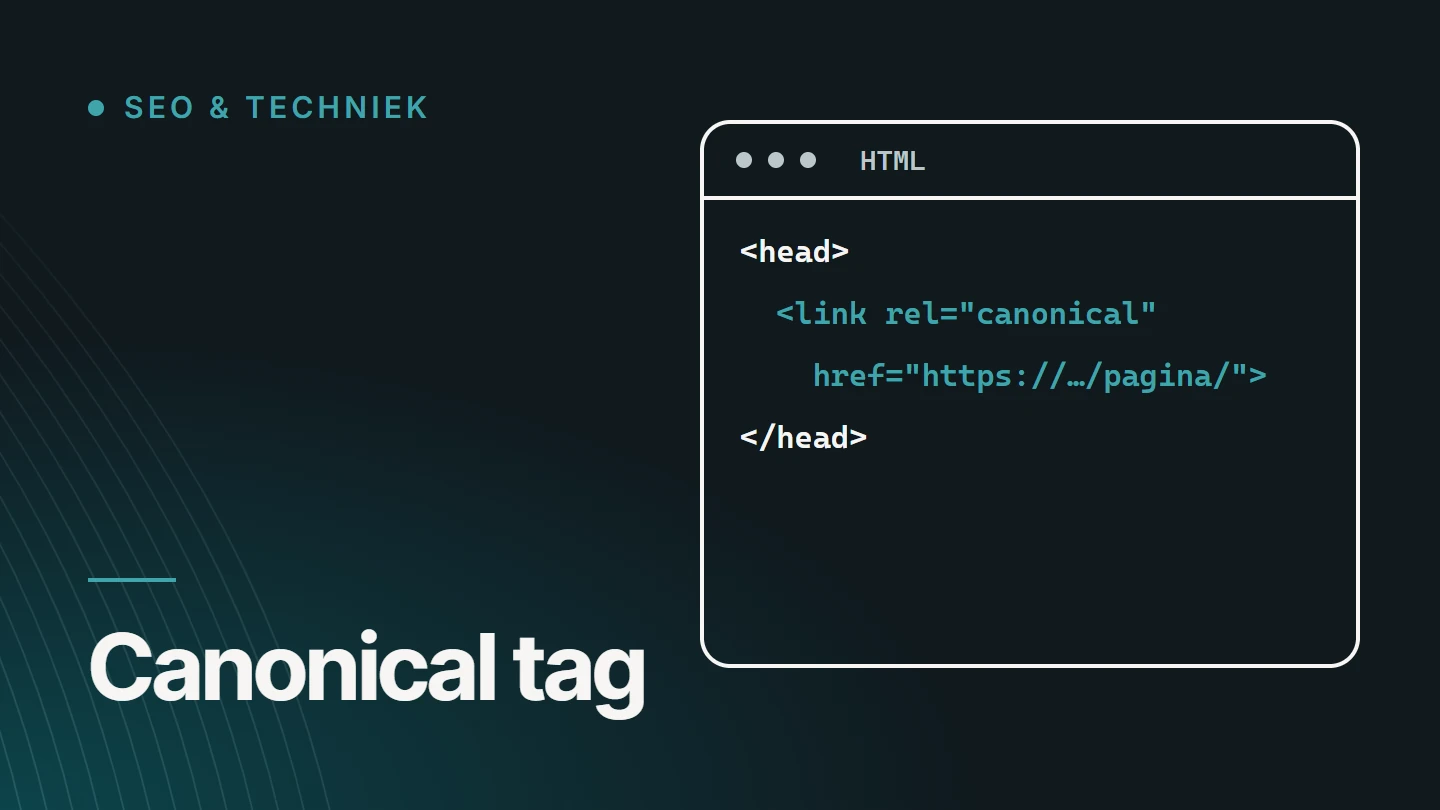
Example
What does a canonical tag look like?
The tag sits in the <head> of the page and contains one full address. Visitors do not see it.
For files without HTML, such as a PDF, the same hint can be placed in the HTTP header.
<head>
  <title>Schoenen | Voorbeeldwinkel</title>
  <link rel="canonical" href="https://www.example.com/schoenen/" />
</head>
This line appears on every variant of the page, for example also on https://www.example.com/schoenen/?sorteer=prijs. That way, all variants point to the same address.
Link: <https://www.example.com/brochure.pdf>; rel="canonical"Always use an absolute URL, with protocol and domain. A relative path such as /schoenen/ is allowed, but is more likely to cause errors, for example when a test environment uses the same code.
In practice
When do you need a canonical tag?
Wherever a single page can be reached via multiple addresses, or where pages are so similar that they get in each other’s way.
- URL parameters Tracking codes, session IDs and campaign parameters turn one page into dozens of addresses.
- Filters and sorting A category sorted by price shows the same products in a different order.
- Protocol and domain variants With or without www, HTTP or HTTPS, with or without a trailing slash.
- A product in multiple categories The same product can be reached via two paths in the online shop.
- Print and AMP versions A separate URL for a printable or simplified version of the same content.
- Syndicated content An article that also appears on another website can point to the original.
A canonical resolves duplicate addresses. It is not meant for merging two different pages: that calls for a redirect, or for rewriting the content.
How Google handles it
Why is a canonical a signal and not a directive?
For each group of duplicate pages, Google chooses one canonical URL itself. Your tag is an important hint in that process, but not the only one. Google’s documentation on consolidating duplicate URLs lists redirects and the sitemap as signals alongside the canonical, as well as a preference for HTTPS over HTTP.
If those signals contradict each other, Google weighs them up. That explains why your canonical is sometimes ignored:
- Internal links point overwhelmingly to a variant other than the canonical.
- The sitemap contains the duplicate addresses instead of the preferred version.
- A redirect sends visitors to a different address from the one the tag specifies.
- The content differs too much: according to Google, the two pages are not duplicates.
- The canonical URL does not work: it returns an error, redirects or has a noindex.
The practical lesson: a canonical only works when the rest of the website says the same thing. Link internally to the preferred version, include only that version in the sitemap and make sure redirects end up there too.
Comparison
Canonical, redirect, noindex or robots.txt?
Four tools that are often confused, but each does something different. The choice depends on one question: does the duplicate page need to remain accessible to visitors?
| Tool | What it does | Use it when |
|---|---|---|
| Canonical tag | Designates the preferred version; the duplicate page remains accessible. | Visitors need the variant, such as a filtered list. |
| 301 redirect | Permanently sends visitors and search engines to a different address. | The old page is no longer needed or has been replaced. |
| Noindex | Keeps a page out of the index, without designating a replacement. | The page does not need to appear in search results for anyone, such as a thank-you page. |
| Robots.txt | Blocks crawling, but not indexing. | You want to limit crawling. Not suitable for resolving duplicate content. |
Do not combine them on the same page. A canonical pointing to page A together with a noindex sends two contradictory messages, and Google cannot read a page that is blocked in robots.txt: the canonical on it is then never seen. The notices this produces in Search Console are covered in Website or page not indexed?.
Good practice
Does every page need a canonical?
It is not mandatory, but it is sensible to give every indexable page a canonical pointing to itself: a self-referencing canonical. If a parameter is then added to the URL, through a campaign or a share button, a search engine immediately knows which address is the real one.
Most SEO plugins for WordPress do this by default. With bespoke development, it has to be built into the templates, and that is exactly where mistakes creep in: a fixed value in a shared template gives every page the same canonical.
On multilingual websites, each language version points to itself, never to the version in another language. You handle the relationship between the languages with hreflang. See Hreflang for Belgian NL/FR websites.
Errors
Common canonical tag mistakes
A canonical error does not stand out: the page looks normal while quietly disappearing from the search results. These are the most common mistakes.
01
Everything points to the homepage
A fixed value in the template turns every page into a duplicate of the homepage.
02
The canonical points to an error or a redirect
The preferred version must itself be accessible, with a 200 status code, and indexable.
03
The wrong protocol or domain
HTTP instead of HTTPS, or the address of the test environment that was left in place after going live.
04
Multiple canonicals on one page
The theme and a plugin each add a tag. When tags conflict, Google will probably ignore all of them.
05
Pagination pointing to page one
Page two of a category is not a duplicate of page one. If it points there anyway, the products on it become harder to find.
06
Canonical combined with noindex
One line says ‘this page belongs with that other one’, the other says ‘do not include this’.
07
The tag is outside the head
In the <body>, it is ignored. A tag that is only added or changed by JavaScript is unreliable as well.
08
Canonical pointing to another language version
The French page that points to the Dutch one disappears from the French-language results.
Oversight
How do you check a canonical tag?
Check both what your website says and what Google does with it. The difference between the two is exactly what matters.
01
View the source code
Open the page source and search for canonical. You should find exactly one tag, with the full, correct address.
02
Use URL Inspection
Search Console shows two values: the ‘User-declared canonical’ and the ‘Google-selected canonical’. If they differ, Google is not following your tag.
03
Check the rendered page
For websites built with JavaScript: is the tag also correct in the HTML the server sends, and not just after loading?
04
Crawl the entire website
A crawler shows in a single overview which pages have no canonical, have several, or point to an error.
05
Look at the Page indexing report
The statuses for duplicate pages show where Google made a different choice from yours.
Implementation
Canonical tags in WordPress and Next.js
In WordPress, an SEO plugin handles the canonical for each page, with the option to override it manually. Pay particular attention to archives, filtered lists and pages generated by a page builder or an online shop plugin.
In Next.js, you define the canonical in the metadata of each route. For dynamic routes, you build the address from the page data, so that every page gets its own value.
// app/schoenen/page.js
export const metadata = {
  alternates: {
    canonical: 'https://www.example.com/schoenen/',
  },
};
Whatever platform you use, the value should come from the same source as your internal links and your sitemap. That way, the three cannot contradict each other.
FAQ
Frequently asked questions about the canonical tag
What does ‘canonical’ mean?
Canonical means the recognised or standard version. In SEO, the canonical URL is the address that a search engine treats as the main version of a page and shows in the search results.
How do you write a canonical tag?
As a link element in the head of the page: <link rel="canonical" href="https://www.example.com/pagina/" />. Use the full address, with HTTPS and the domain, and place only one on each page.
Is there a penalty for duplicate content?
Not for ordinary duplicate addresses on your own website. The drawback is practical: Google chooses for itself which version to show, and signals such as links get split across multiple addresses. A canonical brings them back together.
Why does Google ignore my canonical?
Because other signals are stronger: internal links, the sitemap or a redirect point to a different address, the content of the two pages differs too much, or the specified URL is not indexable itself.
What is the difference between a canonical and a 301 redirect?
With a redirect, the visitor ends up at a different address and the old page disappears. With a canonical, both pages remain accessible, and you only indicate which one belongs in the search results.
Can a canonical point to a different domain?
Yes. That is intended for content that appears on multiple websites, such as a syndicated article. It remains a hint: Google decides whether to follow it.
Further reading
The related service
Technical SEO as a service
Is Google showing a different page from the one you intended, or are pages disappearing for no clear reason? The service page explains how I investigate and fix canonicals, redirects and indexing.

About the author
Dries Nijs, Organic Web Specialist
I am Dries Nijs, a developer and SEO consultant from Maasmechelen. I check canonicals in the templates where they originate, in WordPress as well as in React and Next.js. MadeByDries is the personal brand under which I work.
Is Google showing the wrong page?
Send me the address and what you expect to see. Then we can look at which signals are contradicting each other.