


AI & Automation
AI automation for businesses: workflows, integrations and AI agents that take work off your hands
Recurring work that follows the same steps every time does not have to be done by hand. I automate processes where that saves time or prevents errors: with fixed rules where they are enough, with AI where text or unstructured data is involved. A human stays in control of what matters.
- Practical, no hype
- Human oversight
- Integrations via APIs
- Direct contact with the developer
At a glance
What is AI automation?
AI automation is the automation of business processes in which an AI model does part of the work that previously only a human could do: understanding, summarising or writing a text, extracting data from a document, assigning a question to a category. The steps around it, such as retrieving, forwarding and storing data, remain traditional automation.
At MadeByDries, Dries Nijs builds AI automation for businesses as bespoke work: a workflow, an integration between systems or an AI feature in a website or application. Always clearly scoped, tested with real examples and with a human who can check the result.
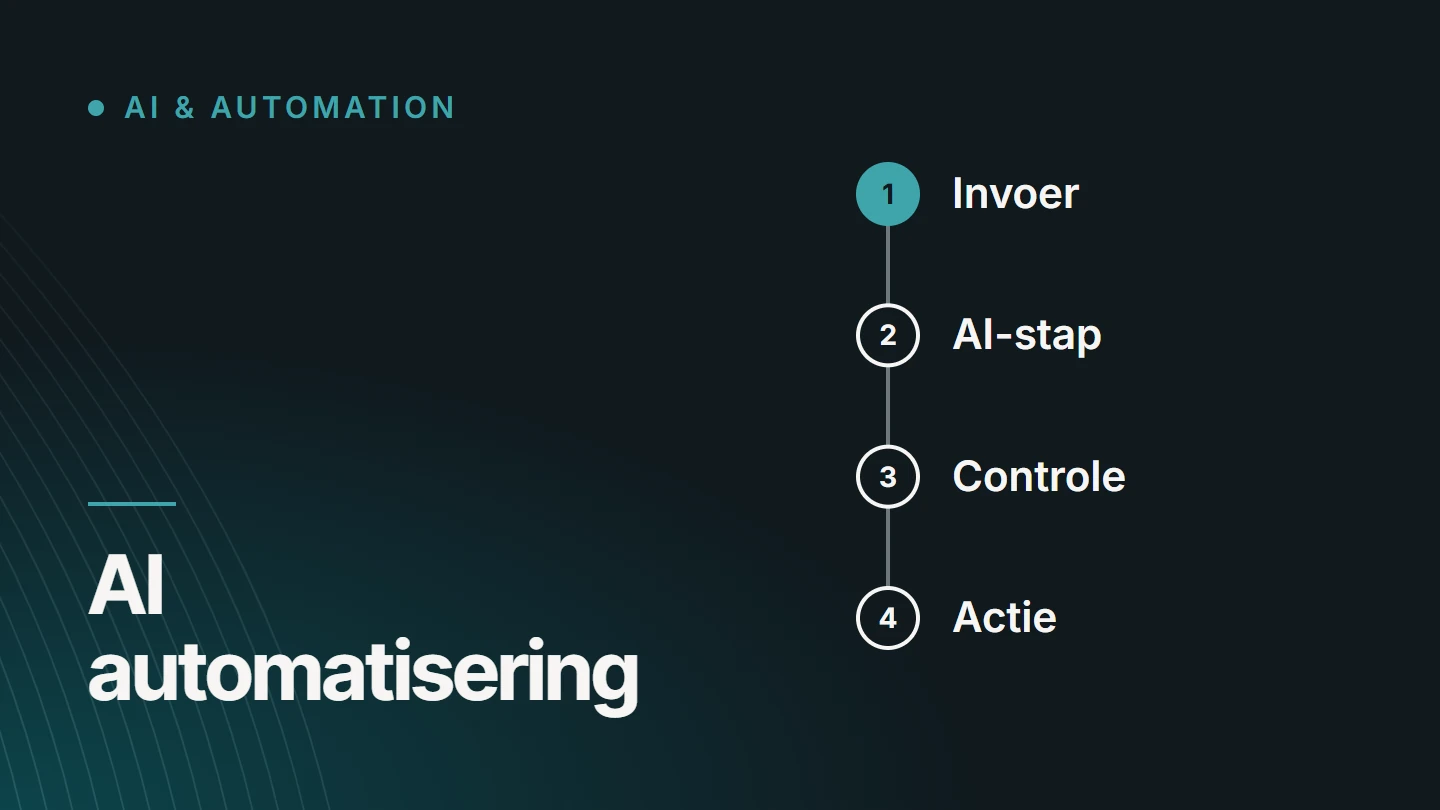
The choice
When does AI automation make sense?
Not every process gets better with AI. Often the most honest question is: is this work predictable enough to automate, and what happens if the result is wrong just once?
A good candidate
- the work recurs often and follows the same steps every time
- someone retypes data from one system into another
- a lot of text is read, sorted, summarised or rewritten
- an error is visible and easy to correct
- there are examples of what a good result looks like
Better not, or not yet
- the process itself is still unclear or changes every month
- an error has serious consequences and nobody checks the result
- the data is incomplete or scattered with no fixed format
- the work occurs so rarely that automating it costs more than it delivers
Automating a messy process just produces mess faster. That is why I start with the process itself, and only then with the technology.
Use cases
What can I automate for your business?
Six types of work where AI automation delivers the most in practice. A project often starts with one of them. When I work for SMEs, that is usually the process that currently takes up the most manual hours.
- Workflows A fixed sequence of steps that runs by itself: a request comes in, is completed, forwarded and followed up.
- Content processes Preparing, rewriting or translating texts according to fixed rules, with an editor who approves them before anything goes online.
- Data processing Extracting data from emails, forms or documents and entering it into your system in a structured way.
- Integrations between systems Website, online shop, CRM and accounting exchanging data via their APIs, so nobody has to retype it.
- AI in your website or application An AI feature as part of your own product: searching, summarising, generating or advising based on your own data.
- AI agents An AI model that takes successive steps by itself within clear boundaries. Only where that is responsible.
Comparison
Automation with fixed rules or with AI?
The two are often confused. The difference determines the cost, the reliability and how much oversight is needed.
| Characteristic | Fixed rules | With AI |
|---|---|---|
| Type of work | Structured data and fixed steps | Text, documents and input without a fixed format |
| Deliverables | Always the same for the same input | Can vary, must be reviewed |
| Errors | Predictable: the rule is either right or wrong | Less predictable, so build in checks |
| Running costs | Low and fixed | Per use of the AI model, depending on volume |
| Typical example | Forwarding an order to accounting | Summarising and categorising an incoming email |
My rule of thumb: what can be done with a fixed rule gets a fixed rule. I use AI for the step that would otherwise require a human. Most good solutions combine the two.
AI agents
AI agents: where they fit and where they do not
An AI agent is an AI model that does not just give a single answer, but chooses and carries out steps itself to reach a goal: looking up information, using a tool, assessing the result and continuing. That makes an agent powerful, and also harder to predict than a fixed workflow.
That is why agents need boundaries: a limited set of actions, access only to the data they need, and human oversight for decisions with major consequences. We decide on the right level of oversight for each project.
For many processes, a fixed workflow with one or two AI steps is the better choice: cheaper, easier to test and easier to explain to the people who work with it. Concrete examples are in AI agents for businesses: 7 processes you can automate.
Oversight
Human oversight: what to watch for
An AI model can sound convincing and still be wrong. An automation is only finished when it is clear what happens if something goes wrong.
01
A human decides where it matters
The greater the consequences of an error, the more human oversight makes sense. Think of anything that goes to a customer, gets published or costs money.
02
A clearly defined task
One clear instruction per AI step, with examples of good and bad results. A model that is allowed to do everything cannot be tested.
03
Testing with real cases
Before going live, the automation is run through real examples from your business, including the exceptions.
04
Traceability
It helps if you can check afterwards what came in and what the result was. How that is arranged depends on the process and the tools used.
05
Fallback option
If the model is uncertain, the input is unusable or a service goes down, the work goes to a human instead of sitting idle.
Privacy and security
Privacy and security at a glance
As soon as business or customer data goes to an AI model, it must be clear what happens to it. I look at this in every project. This is not legal advice: you remain responsible for the processing of personal data yourself, and you will find the rules at the Belgian Data Protection Authority.
- Which data Only what the task needs goes to the model. Anything that can be left out stays behind.
- Personal data Customer or employee data calls for a deliberate choice: leave it out, anonymise it or arrange it explicitly.
- Supplier terms We check in advance what the AI model provider does with the data and where it is processed.
- Access and keys API keys are kept out of the code, and the automation only gets the permissions it needs.
- External input Text that comes from outside, such as an email or a web page, is treated as data, not as an instruction.
- Retention How long data and intermediate results are kept is something we decide per project.
AI integrations
AI integrations: existing tools or bespoke?
Language models are accessed via their API: you send an instruction and data, and get a result back. The value rarely lies in that single call. It lies in what happens around it: supplying the right data, checking the result and putting it in the right place in your systems.
- In existing workflows AI takes over one step in a process that is already running, such as summarising, categorising or writing a first draft. The rest of the workflow stays as it was.
- API integrations The model is called via its API from your own software, with only the data needed for that task.
- Content and data Texts, product data or documents as input, and a result in a fixed format that your systems can process.
- Human oversight An employee reviews or approves the result before it goes to a customer or onto your website.
- Existing business software The result ends up where you already work: your website, your online shop, your CRM or your own application.
- Bespoke development When a standard tool cannot handle the logic, the volume or the sensitivity of the data.
For simple integrations, there are automation tools such as n8n, Make and Zapier. If such a tool is enough, it is often the cheapest route. Bespoke development becomes worthwhile when the logic is complex, the volume grows large, the data is sensitive or the automation needs to become a permanent part of your own software.
I build that bespoke work in Node.js, standalone or as part of a bespoke web application. Do you mainly want AI systems such as ChatGPT to mention your business correctly? That is a different matter: GEO (Generative Engine Optimization), see GEO & AI SEO. How an AI integration is put together is explained in the article AI integrations: connecting AI to existing systems.
Organic Web
Automation with Core. Code. Growth.
I build automations according to Organic Web too, my standard way of working. Three stages, in this order.
01
CORE.
Mapping the process as it actually runs today, including the exceptions, and choosing which step comes first.
02
CODE.
Building the automation and testing it with real examples, with checks and a fallback option built in.
03
GROWTH.
Putting it into use, measuring the results and only then expanding to the next step.
My rule of thumb: what can be done with a fixed rule gets a fixed rule.
Projects
Automation in my own platforms
Three platforms I develop myself. SEO Websites includes, among other things, an AI article and product content generator and integrations with WordPress, WooCommerce and Drupal. BM Jumpfun and Pelletkachelzorg show automation without AI: bookings, scheduling and administration in one data flow, and a wizard that calculates the required stove output.
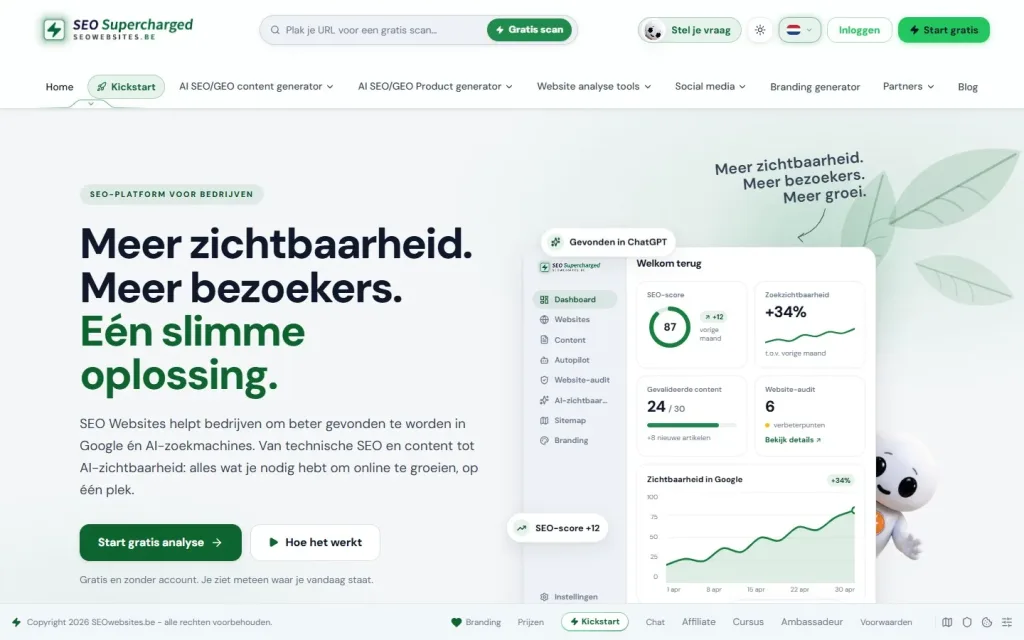
SEO · GEO · Organic Web
SEO Websites
My own SaaS platform for website analysis, SEO content and visibility in search engines and AI systems.
- React
- Node.js
- Express
- Claude
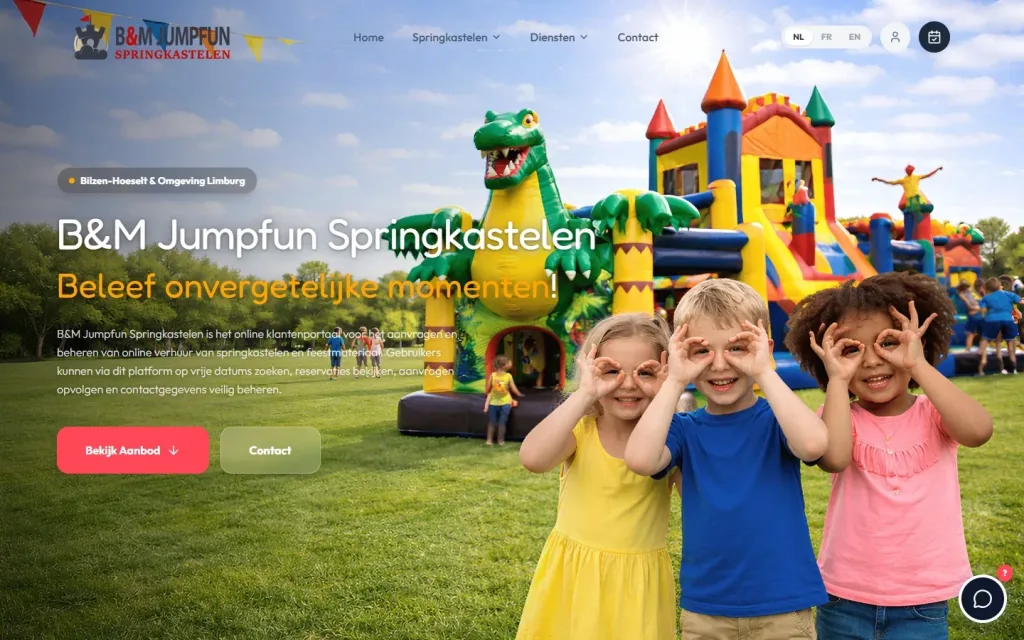
React app · Web application · Full-stack Development
BM Jumpfun
A multilingual React app that brings together the catalogue, bookings, scheduling and administration of a rental business.
- React
- Claude
- GPT
- Gemini

React & Next.js · E-commerce · Organic Web
Pelletkachelzorg
My own commerce platform in React and Next.js for the sale, installation and servicing of stoves, in four languages.
- React
- Next.js
- Claude
- GPT
How I work
From process to working automation
Starting small is not a weakness here. One automation that runs reliably teaches you more than a big plan on paper.
I agree on a timeline once the process and the systems are known.
01
Mapping the process
Who does what, with which data, in which systems, and where most of the time goes today.
02
Choosing the first step
One clearly defined part with a clear result, and a yardstick to judge whether it works.
03
Building and testing
The workflow, the integrations and the AI steps, tested with real cases from your business.
04
In use, with oversight
Initially with a human reviewing every result. Oversight only becomes lighter once the results justify it.
05
Measuring and expanding
What it delivers, where it goes wrong, and what the next step is.
Pricing
How much does AI automation cost?
For AI automation, pricing is on request. The size of the work depends on the process, not the technology. After an initial conversation about the process and the systems, I can define the scope and price of a first step in concrete terms.
The build is a project price. The costs of using an AI model are separate: the provider charges them according to usage.
- Number of steps How long the workflow is and how many exceptions it has.
- Number of systems Which software is connected and how good its API is.
- Data quality Structured and complete, or in need of cleaning up first.
- Oversight How much human oversight the process requires.
- Volume How often the automation runs, and therefore how much the AI model is used.
- Ongoing support Who monitors and adjusts the automation after delivery.
Why Dries
Automation built by someone who uses it too
- My own product with AI In my own SaaS platform, AI is part of the product. So I also know the maintenance and cost side.
- Developer, not reseller I write the integrations and the logic myself, in code you can have reviewed.
- Down to earth If it can be done without AI, or without bespoke development, I will say so.
- Direct contact You discuss your process with the person who builds the automation.

About the specialist
Dries Nijs, Organic Web Specialist
I am Dries Nijs, a developer from Maasmechelen, and I have been building for the web since the 1990s. For me, AI is the latest tool in that line, after HTML, PHP, WordPress and React. I use it daily for research, code and content, and build it in where a process demonstrably benefits from it. MadeByDries is the personal brand under which I work.
FAQ
Frequently asked questions about AI automation
What is the difference between automation and AI?
Automation carries out fixed steps according to rules: if this happens, do that. AI can handle input without a fixed format, such as text, and delivers a result that needs to be reviewed. AI automation combines the two: fixed steps where possible, an AI model where interpretation is needed.
What is the difference between ChatGPT and AI?
AI is the broad field. ChatGPT is one application of it: a chat program built on a language model. In an automation, you usually do not talk to a chat window; instead, your software addresses a language model directly via an API, with a fixed instruction and your own data.
How do you get started with AI in your business?
With one process that recurs often, requires a lot of manual work and where an error is not a disaster. Describe how it works today, choose one step to automate and have a human check the result. Only expand once that first step works reliably.
Is ChatGPT an AI agent?
ChatGPT is primarily a chat program: it answers questions. It has features that let it take steps itself, such as searching the web, and it then behaves like an agent. In a business process, an AI agent is usually a dedicated setup, with only the actions and data needed for that one task.
What are the risks of AI automation?
The main ones are a wrong result that nobody notices, sensitive data ending up with an external service, and a process that grinds to a halt when that service goes down. All three can be limited: with human oversight, deliberate choices about data and a fallback option.
What is the difference between a chatbot and an AI agent?
A chatbot holds a conversation and gives answers. An AI agent carries out tasks: it uses tools, takes successive steps and works towards a result. A chatbot can be an agent when it is also allowed to perform actions, such as scheduling an appointment.
Can AI automation be connected to my existing software?
Usually, yes, if that software has an API or another way of exchanging data. That is the first thing I check. If a package offers no integration, we look at whether an export or import is a workable alternative.
Does AI automation replace employees?
It takes over tasks, not responsibility. The repetitive part of the work disappears; judgement and exceptions stay with people. For processes where an error carries serious consequences, I do not build automation that decides everything by itself without supervision.
A process that takes too much manual work?
Describe how it works today and which systems you use. Then we will look at whether automation makes sense, and which step is best to start with.